
Start with the job, not the questions
A quiz can do many jobs: test knowledge, qualify leads, entertain, or diagnose a problem. Before you write a single question, decide what yours is for — that decision changes the type of quiz you build, the questions you ask, and what the result page should say.
This guide walks through the whole process in RooQuiz with one running example: a nutrition coach who wants a steady source of consultation calls. The quiz asks “How ready are you to lose weight for good?”, scores each answer, and ends with a readiness score, honest advice, and a button to book a free consultation. Swap in your own topic — the steps are the same for any niche.
Pick the quiz type first
Quiz makers generally support three kinds of quiz, and you choose one when you create yours:
| Quiz type | How it works | Best for |
|---|---|---|
| Scored Quiz | Each answer carries points; the total maps to a level like “Ready to start” | Diagnostics, readiness checks, and lead magnets for coaches and consultants |
| Knowledge Quiz | Questions have right and wrong answers; respondents get a score out of the total | Course checkpoints, product training, and trivia |
| Outcome Quiz | Each answer votes for a result type; the most-voted type wins | “Which X are you?” personality quizzes and audience segmentation |
Choose deliberately: the type is fixed once the quiz is created, because scoring, question settings, and the result page all depend on it. The example in this guide is a scored quiz — for coaches, a score with levels reads as a diagnosis, which makes the follow-up call feel like the natural next step. If you want a personality-style quiz instead, the flow is the same and how to create a personality quiz covers the outcome-specific details.
How to create a quiz, step by step
The screenshots below show each step in the RooQuiz builder, but the sequence — type, questions, scoring, result page, lead capture, sharing — applies in any serious quiz maker.
Choose your quiz type
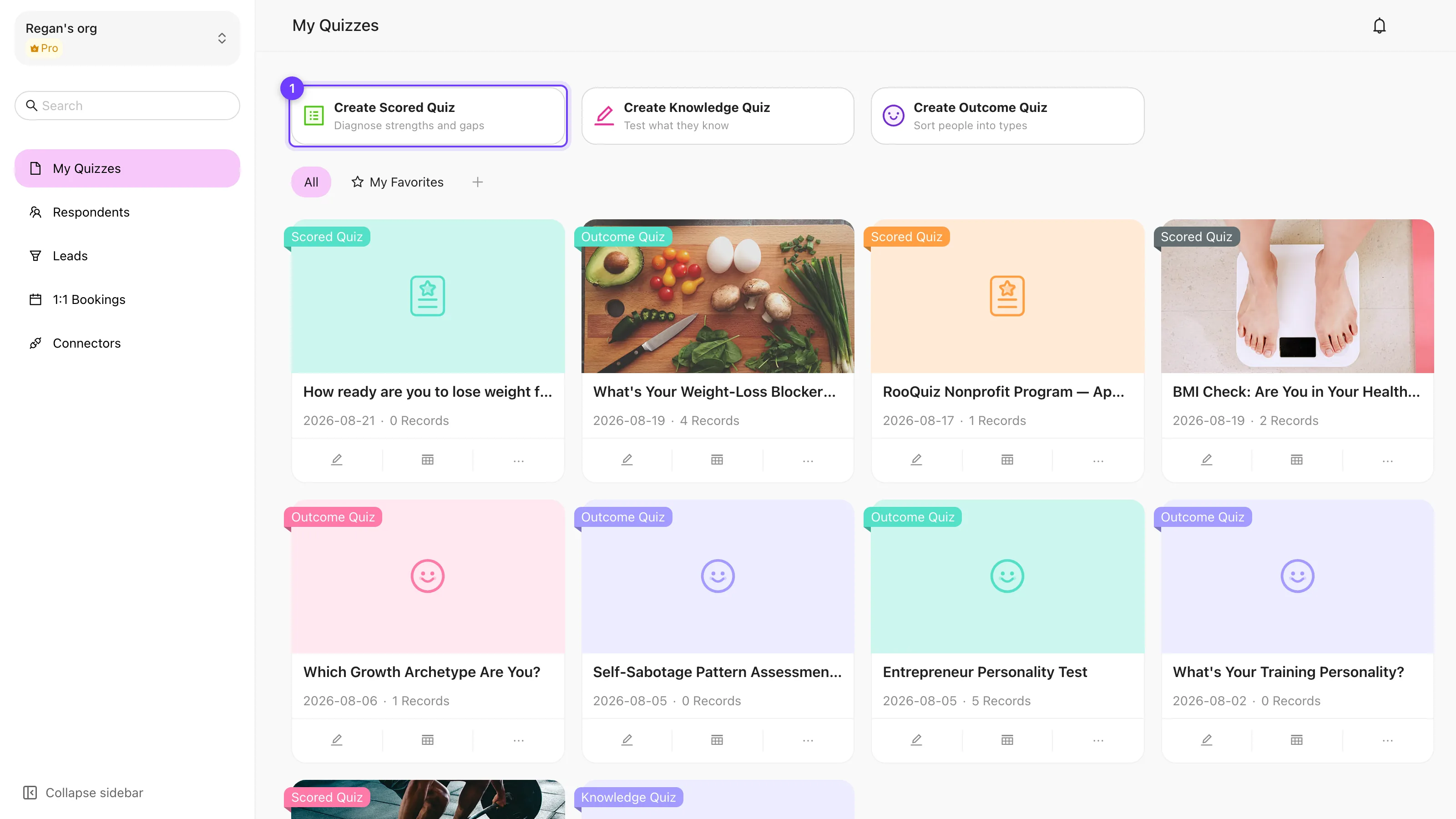
From the dashboard, pick one of the three quiz types. For a diagnostic lead magnet like the weight-loss example, choose Create Scored Quiz — answers carry points and the total maps to a level.
Start from a template or a blank quiz
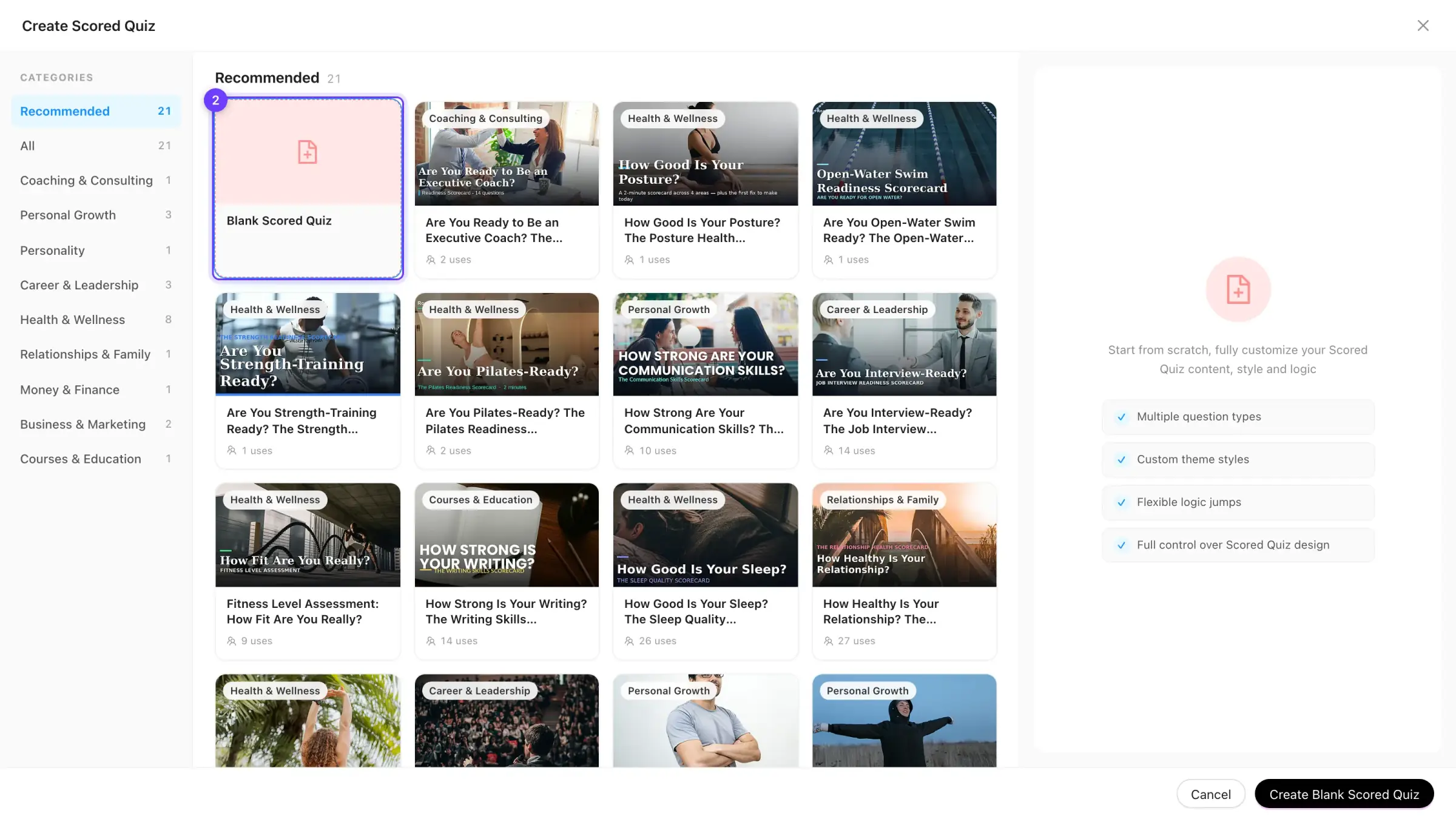
The gallery that opens offers ready-made templates by category, with a blank card first. Templates are the fastest path; pick Blank Scored Quiz when your topic needs questions written from scratch, as this guide does.
Write 5–10 questions and score each answer
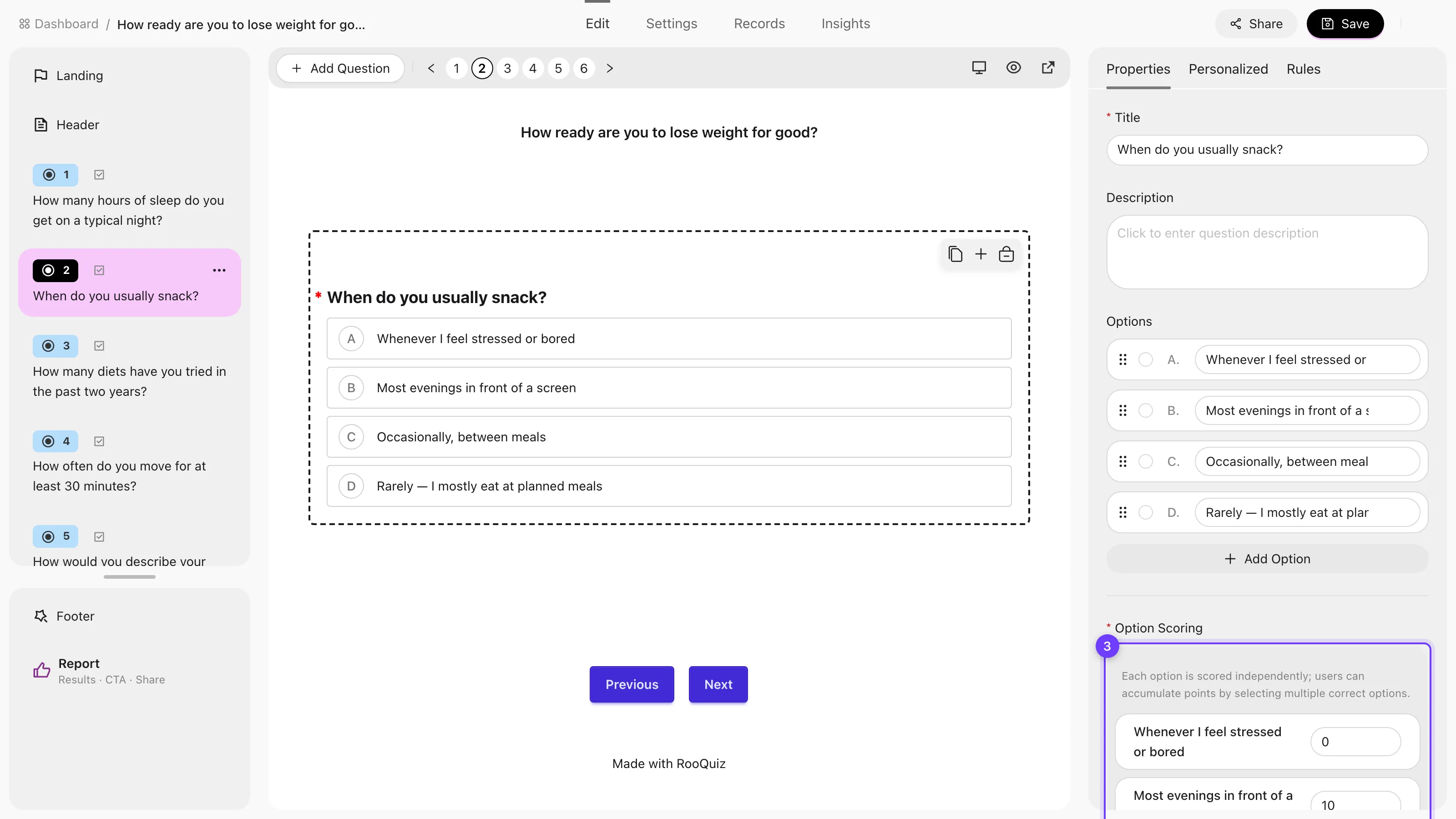
Add one question per habit or symptom you want to diagnose, then open Option Scoring and give every answer a score. In the example, “Rarely — I mostly eat at planned meals” earns 20 points while “Whenever I feel stressed or bored” earns 0.
Build the result page
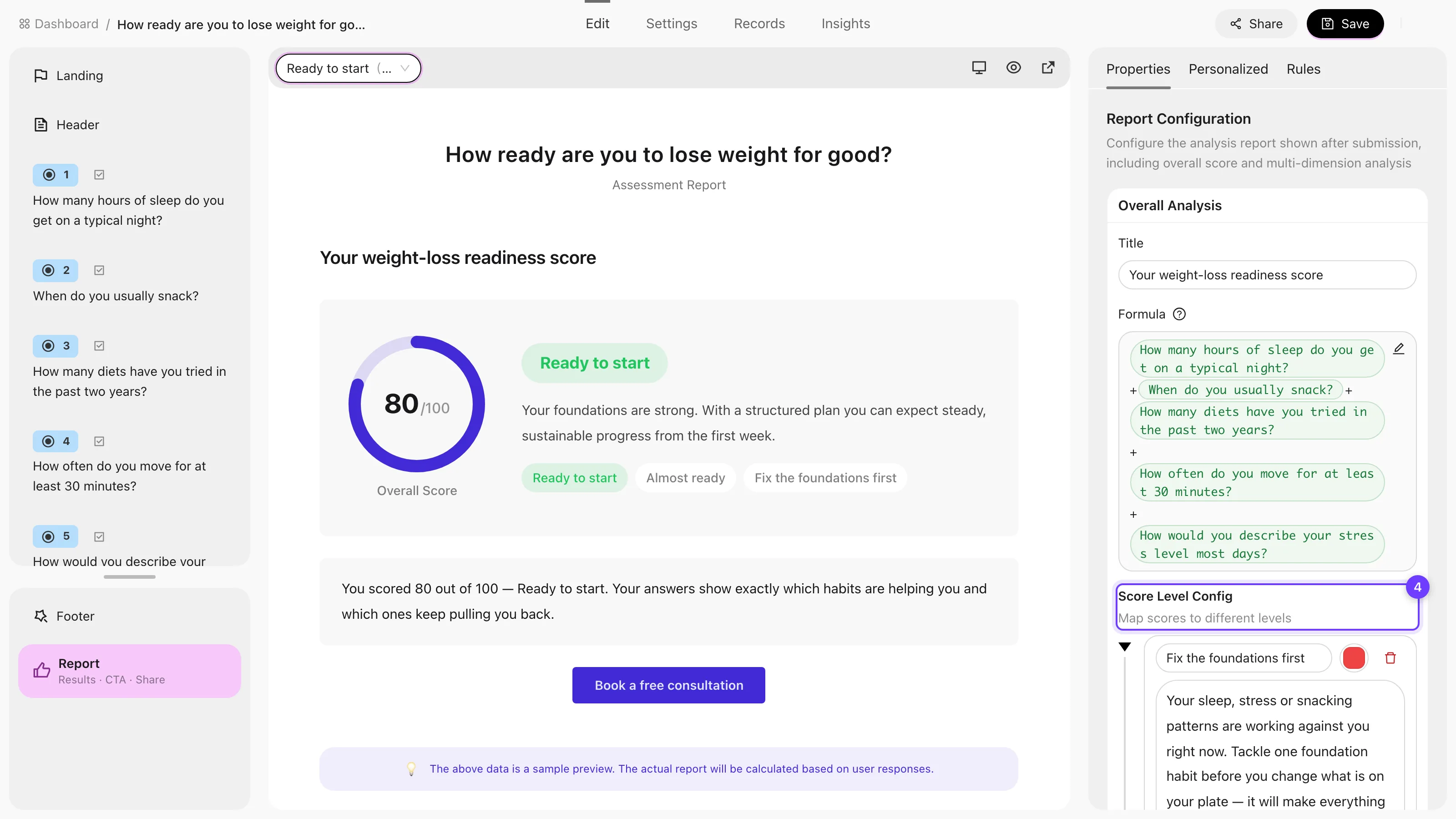
In the Report settings, write the formula that adds your questions into a total, then create score levels — the example uses Ready to start, Almost ready, and Fix the foundations first. Give every level its own description and a call-to-action button, such as booking a consultation.
Ask for an email before the result
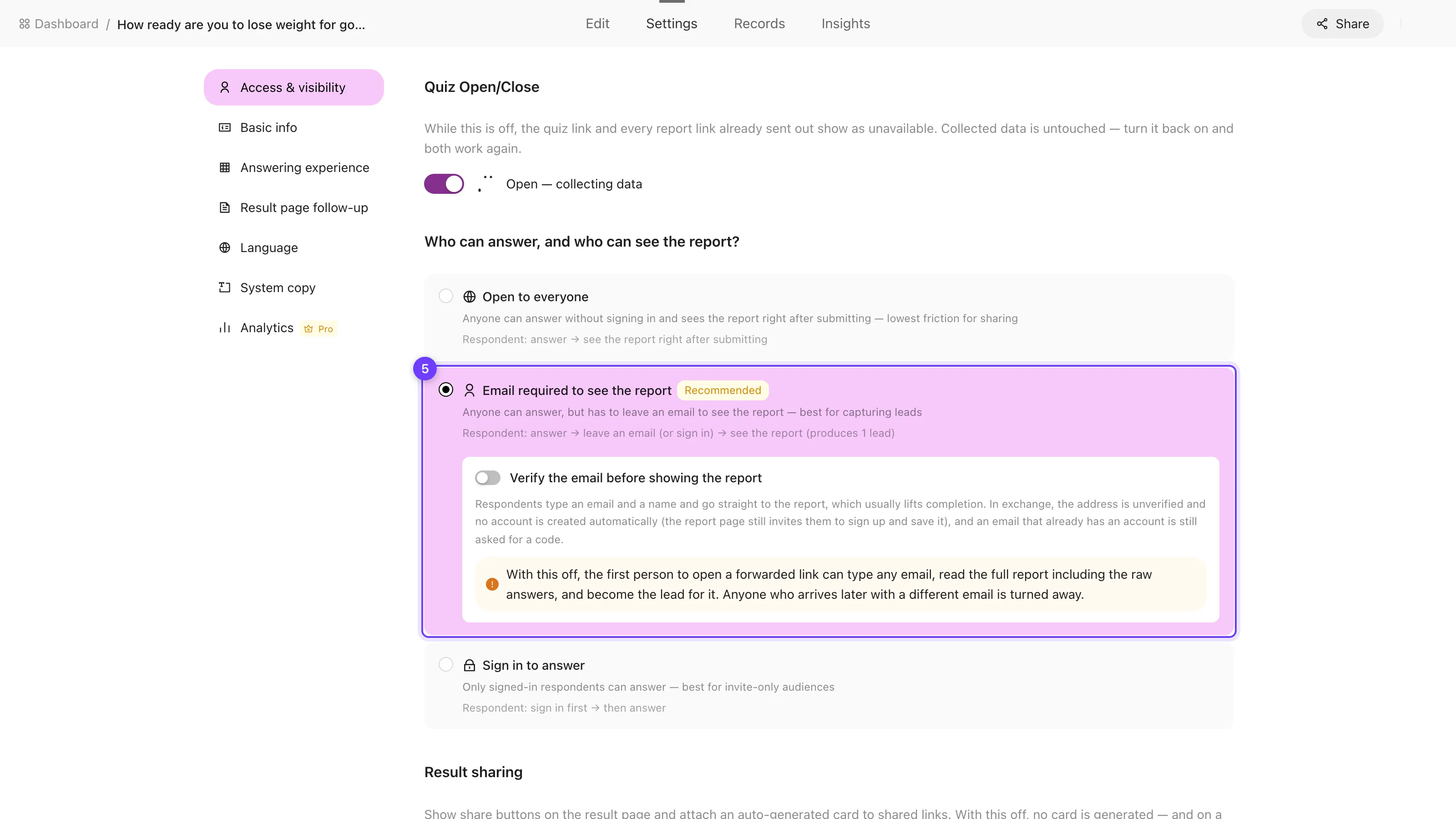
In Access & visibility, choose Email required to see the report. Anyone can answer, but they leave an email to see their result — which is what turns a fun quiz into a source of leads.
Publish and share the link
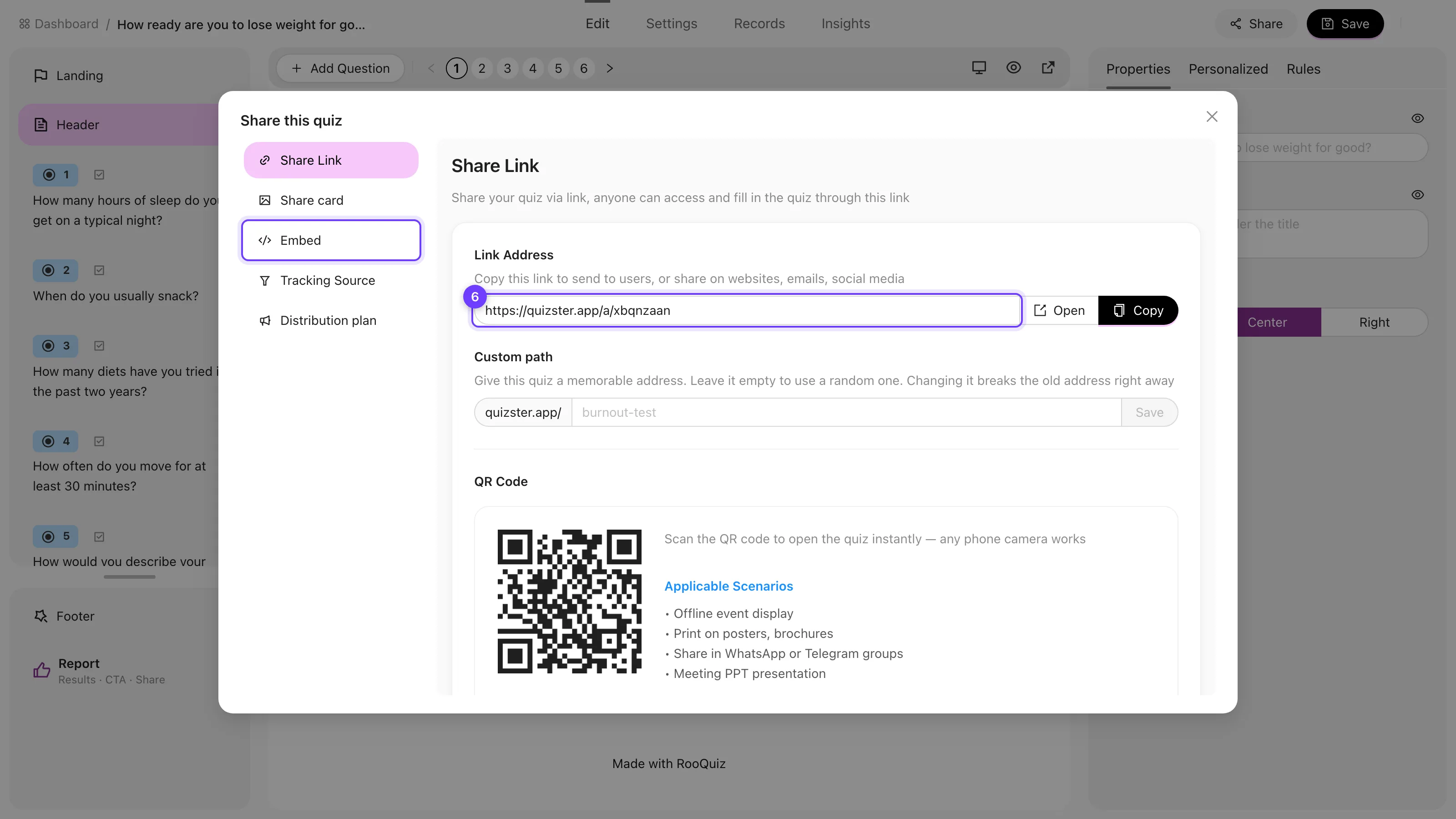
Open the Share panel to copy the quiz link, set a memorable custom path, download a QR code, or grab an embed code for your website. The quiz is live as soon as it is open for responses.
The worked example, end to end
Here is how the nutrition coach example comes together as a complete quiz:
- A title the ideal client is already asking themselves: “How ready are you to lose weight for good?”
- Five scored questions covering sleep, snacking triggers, diet history, movement, and stress — each answer scored 0, 10, 15, or 20, so the total lands between 0 and 100.
- A sixth, unscored rating question (“How committed are you right now?”) that tells the coach how warm each lead is.
- Three levels: Fix the foundations first (below 50), Almost ready (50–79), and Ready to start (80 and up), each with two sentences of honest advice.
- The same call to action on every level — Book a free consultation — because every result should lead somewhere.
The result page can also embed a booking section, so a respondent who just saw their score can pick a consultation slot without leaving the page. That single step — from result to booked call — is where most of the quiz’s business value lives. For more angles on this niche, see the fitness quiz guide for personal trainers.
Tips for a quiz people actually finish
- Keep it to 5–10 questions — completion drops sharply past twelve. See how many questions a quiz should have.
- Ask about behaviors, not knowledge: “when do you usually snack?” feels personal, while “how many calories are in a banana?” feels like a test.
- Ask for the email right before the result, never at the start.
- Write level descriptions that give real advice — a result page worth reading is a result page worth sharing.
- End every level with one clear next step; a result page without a call to action is a dead end.
Once the quiz is live, the next jobs are distribution and follow-up: capture and work the leads it produces, and embed it on your website so visitors can take it without leaving your site.